
The forensic image: duplicating a storage device without changing a single bit
What a forensic (bit-stream) image is, why it differs from an ordinary copy of files and how to prove it is identical to the original.

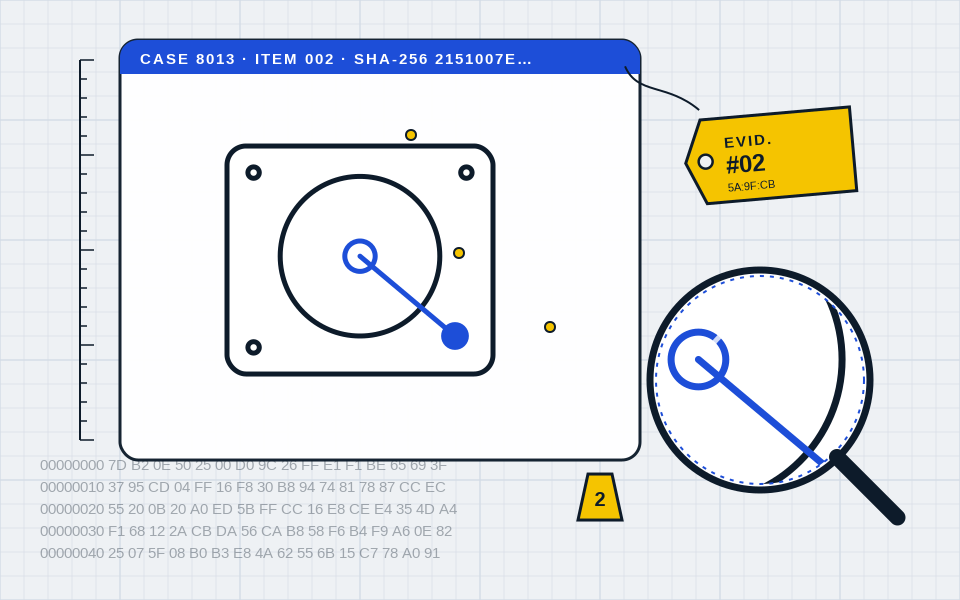
A forensic image — also called a forensic copy or bit-stream copy — is the complete duplication of a storage medium: a disk, a USB stick, an SD card, a phone’s memory. It does not copy only the visible files but every sector of the medium, including unallocated space, fragments of deleted files and areas the operating system does not show.
It is the first step of almost every digital investigation, for a practical reason: the analysis is carried out on the copy, never on the original. The original is sealed and stored; anyone — the other side’s consultant, the court’s expert — can later redo or verify the copy and reach the same results.
Why copying the files is not enough
Dragging a folder onto an external drive produces a logical copy: it carries the content but loses or alters much of the information that matters in an investigation. Access dates may change, deleted files are left behind, file-system metadata is not copied. Above all, there is no rigorous way to prove that the copy matches the original.
A forensic image solves both problems. It copies everything, sector by sector, and comes with a hash value — a kind of mathematical seal — computed on the original and on the copy: if the two values match, the data is identical.
The three guarantees
- Integrity
- The original is not modified during copying: a write-blocking device (write blocker) is used.
- Completeness
- All sectors are copied, including those the operating system considers empty.
- Verifiability
- The hash value lets anyone check, even years later, that the copy has not changed.
The following pages explain how a forensic image is made, with which tools, which mistakes make it open to challenge and what value it has in court. The mathematical seal has its own topic, Hashes and integrity; the documentation of every step is covered in Chain of custody.
The pages of this topic

Forensic image: how bit-for-bit duplication works
Sectors, unallocated space, RAW and E01 formats: what really happens when a forensic image is created.

Forensic image: the step-by-step procedure
From photographing the device to verifying the hash: the stages of an acquisition done properly.

Forensic image: the tools
Write blockers, hardware duplicators, acquisition software and forensic distributions: what you need and how to choose.
Forensic image: pitfalls to avoid
From a disk connected without protection to SSDs that change on their own: the mistakes that make a copy open to challenge.
Forensic image: value in court
What the Italian code of criminal procedure requires after Law 48/2008, when a copy is repeatable and how it is defended in civil proceedings.
Forensic image: a case study
A company suspects that a departing employee took confidential documents: how his laptop is acquired.

Forensic image: the checklist
The list to keep at hand before, during and after a forensic acquisition.

Forensic image: frequently asked questions
Short answers to the most common questions about forensic imaging of disks and devices.
More topics in this section
Digital forensics
Digital forensics explained clearly: what it does, its principles, the stages of a digital investigation, the tools and the value of digital evidence in court.
9 pages
Hashes and integrity
What a hash value is, why a single different bit changes it and how it is used to prove that digital evidence has not been altered.
9 pages
Chain of custody
What the chain of custody is, why without it even perfect evidence can become unreliable and how to keep it properly for devices and digital copies.
9 pages