
iPhone forensics: data protection, the Secure Enclave, backups, iCloud and artefacts
How an iPhone is acquired and analysed: data protection classes and the Secure Enclave, states before and after first unlock, USB Restricted Mode and inactivity reboot, encrypted local backups, iCloud and Advanced Data Protection, file system extractions, artefacts of messages, photos, locations and usage, tools, mistakes, value in court, a deleted messages case, checklist and frequently asked questions.

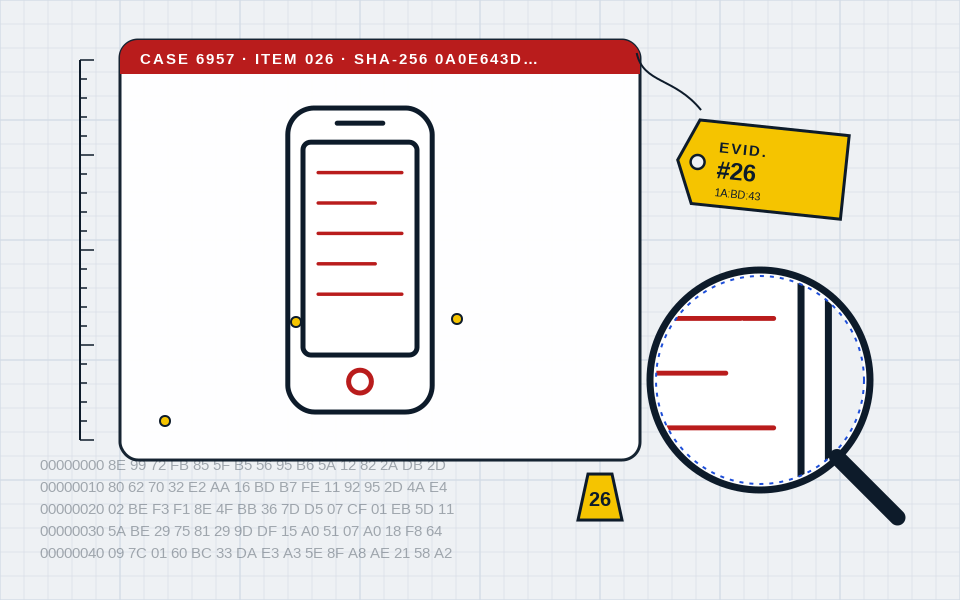
Apple designs the iPhone like a safe: every file has its own key, the keys are held in a separate chip, the Secure Enclave, and without the owner’s passcode most data is unreadable even to whoever physically holds the phone. In recent years Apple has added further protections aimed at thieves, which weigh heavily on investigations too: USB connections blocked after an hour, and an automatic restart after three days without unlocking.
For forensic analysis, then, what matters is time, the phone’s state at seizure, and alternative sources: local backups, the iCloud account and devices linked to the same account, such as iPads and Macs. When extraction succeeds, an iPhone yields an extraordinary amount of information: messages, photos with their locations, usage statistics, health data, frequently visited places.
Where the evidence lies
- Messages
- SMS and iMessage, app chats, recently deleted messages.
- Photos
- Library with locations, dates, capturing device and edits.
- Usage
- App usage statistics, Screen Time, system logs.
- Locations
- Significant locations, photo coordinates, Wi-Fi networks.
- Health
- Steps, heart rate, movements recorded by the iPhone and Apple Watch.
- iCloud
- Backups, photos, messages and documents synchronised with other devices.
The general rules are the same as for Android smartphones; for chats see WhatsApp acquisition, for online data cloud acquisition. The basic entries are phone backup and full extraction.
The pages of this topic
iPhone forensics: how analysis works
How iPhone forensic analysis works: per-file keys and protection classes, the Secure Enclave, BFU and AFU states, USB Restricted Mode, inactivity reboot, local and encrypted backups, iCloud and Advanced Data Protection, extraction types.
iPhone forensics: procedure
The procedure for acquiring and analysing an iPhone: isolate from the network, document its state, keep it powered, act within the protections’ time limits, identify the model and version, choose the extraction, acquire backups and iCloud with authorisation, compute hashes, analyse and validate.
iPhone forensics: tools
The tools for iPhone forensic analysis: commercial extraction platforms, GrayKey, specialised toolkits, iLEAPP, libimobiledevice, MVT for spyware detection, database and plist readers, iCloud acquisition.
iPhone forensics: mistakes to avoid
The most common mistakes in analysing an iPhone: leaving it online, switching it off or letting it run flat, wasting time, trying passcodes, using the owner’s Face ID without legal basis, forgetting iCloud and other devices, ignoring the backup password, trusting a single tool.
iPhone forensics: value in court
The rules on examining an iPhone under Italian and EU law: messages as correspondence, the Court of Justice ruling on data access, the bill on device seizure, passcodes and biometrics, iCloud data held by foreign providers, preservation of original data, chats in civil proceedings.
iPhone forensics: a case
A guided case: in a proceeding for threats, messages deleted from an iPhone are found in the Recently Deleted folder, in the app’s database and on the recipient’s phone.
iPhone forensics: checklist
The checklist for the forensic acquisition and analysis of an iPhone: seizure and timing, identification, extraction and linked sources, validated analysis and limits.
iPhone forensics: frequently asked questions
Short answers to the most common questions about iPhone forensic analysis.
More topics in this section
Android forensics
How an Android smartphone is acquired and analysed: states before and after first unlock, file-based encryption, network isolation, logical, file system, full and cloud extractions, artefacts of messages, apps, locations and usage, tools, mistakes, rules on seizure and data access, a road accident case, checklist and frequently asked questions.
9 pages
Hard drives and SSDs
How hard drives and solid-state drives are examined: differences between magnetic disks and flash memory, SATA and NVMe interfaces, hidden HPA and DCO areas, SMART data, TRIM and internal clean-up, encryption with BitLocker, FileVault and self-encrypting drives, damaged disks, procedure, tools, mistakes, value in court, a case, checklist and frequently asked questions.
9 pages
USB drives and SD cards
How USB flash drives, SD and microSD cards are acquired and analysed: flash memory and controllers, FAT32, exFAT and NTFS file systems, deleted files and TRIM, the write-protect switch, counterfeit and encrypted drives, connection traces on computers, cards from cameras, dashcams and drones, procedure, tools, mistakes, value in court, a case, checklist and frequently asked questions.
9 pages